
Video is one of the most useful formats a small business can publish, but traditional production creates friction: scripts, cameras, presenters, editing, captions, voiceovers and multiple versions for different channels. AI video tools reduce several of those steps.
The important question is no longer simply, “Can AI make a video?” It is: “Which AI video workflow fits the job my business needs to accomplish?”
A training company may need a professional presenter and multilingual lessons. A consultant may want to turn written expertise into short videos. A social-media team may need fast editing, captions and repurposing. Choosing the wrong tool can add complexity rather than remove it.
This guide explains three useful approaches and the tools that currently represent them well: Synthesia for presenter-led business video, Pictory for turning written material into video, and Descript for editing and repurposing recorded content.
Quick answer
| Tool | Best fit |
|---|---|
| Synthesia | Polished presenter-led videos without filming a human presenter each time. |
| Pictory | Turning scripts, articles or ideas into marketing videos. |
| Descript | Text-led editing and repurposing when you already have audio or video. |
1. Synthesia: For presenter-led business video
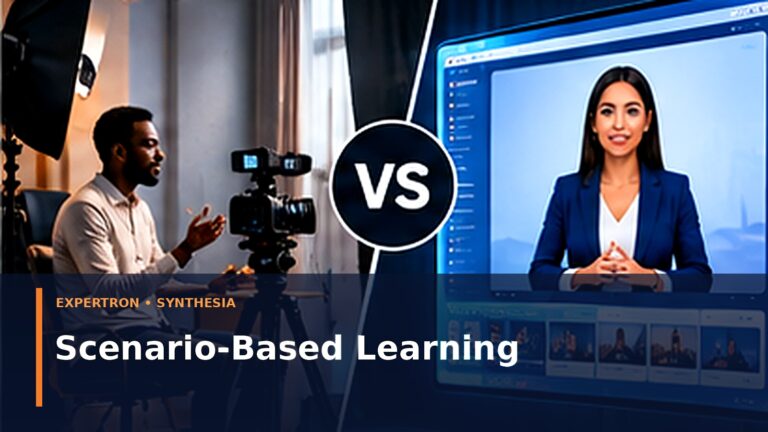
Synthesia is designed around creating videos from text with AI presenters. Its official product information emphasizes browser-based creation, AI avatars and multilingual video production. The company currently says its platform supports 240+ built-in AI presenters and 160+ languages.
That makes it particularly relevant to businesses producing repeatable communication rather than cinematic advertising.
Good use cases include:
- staff onboarding and internal training;
- product walkthroughs;
- customer education;
- process explanations;
- multilingual business communication;
- presenter-led educational content.
Why small businesses may find it useful
The traditional workflow for a presenter video involves scheduling a presenter, recording, correcting mistakes, editing and possibly recording again when information changes. A text-driven avatar workflow can make updates substantially easier: edit the script and regenerate the affected content instead of organizing another shoot.
What to consider
AI-presenter video is not appropriate for every brand moment. Founder stories, testimonials and highly personal trust-building content may be stronger when the real person appears on camera. Small businesses should use AI avatars where consistency and repeatability matter, not automatically replace authentic human communication.
Expertron view: Synthesia is most compelling when the business needs a repeatable “virtual presenter” workflow for training, education or structured explanation.
2. Pictory: For turning written content into video
Pictory positions itself around AI-assisted video creation and partnerships with bloggers, creators and service providers. This is useful for businesses that already have written material but struggle to convert it into video consistently.
Good use cases include:
- converting blog ideas into social videos;
- creating promotional videos from scripts;
- repurposing educational content;
- producing regular visual content without a full editing team.
Why this workflow matters
Many businesses do not have an idea shortage. They have a repurposing problem. A company may already have blog posts, FAQs, presentations, sales copy and educational material. The opportunity is to turn those assets into additional formats instead of starting from zero every day.
A practical content system might look like this:
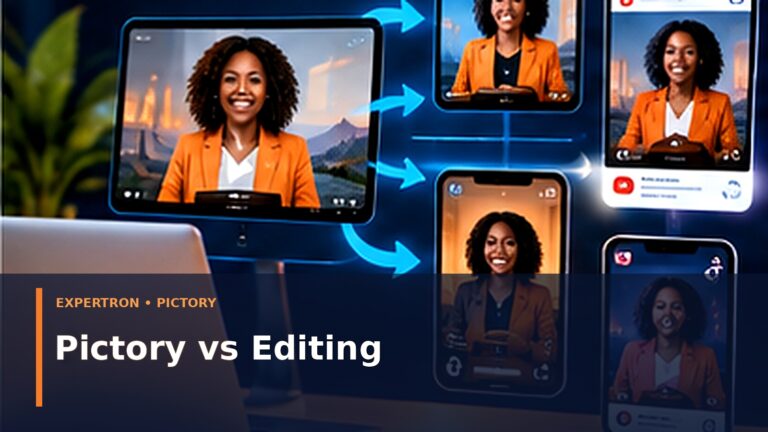
One useful article → one longer video → several short clips → image posts → email/WhatsApp content.
That is more efficient than treating each channel as a separate content project.
What to consider
Automatically generated scenes still require editorial judgment. Check whether the visuals actually support the message, whether text is readable on a phone, and whether the first few seconds create a reason to keep watching.
Expertron view: Pictory is relevant to businesses that want to build a repeatable content-repurposing engine from existing written assets.
3. Descript: For editing, recording and repurposing
Descript takes a different approach. It is especially known for editing audio and video through a text-oriented workflow. Its official affiliate page describes the product as a creator editing platform and specifically highlights workflows where audio can become clips, transcripts and other content.
Good use cases include:
- interviews;
- podcasts;
- talking-head videos;
- webinars;
- recorded training;
- turning long recordings into shorter content.
Why this is different
If Synthesia starts with a script and creates a presenter video, Descript is particularly useful when you already have recorded material. This distinction matters.
For example, a consultant who records a 30-minute teaching session may need editing, transcription and shorter clips. A company that never records anything and wants an AI presenter has a different problem.
Expertron view: Descript belongs in the editing/repurposing part of a content stack rather than being treated as identical to avatar-video generators.
How to choose an AI video tool for your business
Before subscribing to anything, answer five questions.
1. What is the source material?
If you start with scripts, an avatar or text-to-video workflow may fit. If you start with recordings, choose an editing/repurposing workflow.
2. Who needs to appear?
Decide whether the video needs the founder, a real employee, an AI presenter, voiceover only, or no presenter.
3. Where will the video be published?
A training portal, YouTube, LinkedIn and TikTok have different viewing patterns. The tool should support the formats you actually need.
4. How often will content change?
For frequently updated training or product information, easy script-level updates can be more valuable than sophisticated visual effects.
5. What still requires human review?
AI can accelerate production, but somebody should still check facts, brand tone, pronunciation, visual relevance, captions and the call to action.
A simple small-business AI video workflow
A practical workflow is:
Step 1: Start with one customer question.
Step 2: Write one useful answer or article.
Step 3: Turn the core idea into a short script.
Step 4: Choose the production method: real presenter, AI avatar, text-to-video or edited recording.
Step 5: Produce a vertical version for short-form channels.
Step 6: Add captions and a clear call to action.
Step 7: Publish across the channels where your audience already spends time.
Step 8: measure watch time, clicks, enquiries and conversions—not just views.
This is the approach Expertron recommends because it connects video production to a business objective.
Frequently asked questions
Can a small business create professional videos without a camera?
Yes. Current AI tools can generate presenter-led videos, assemble videos from text, create voiceovers and edit recorded material. Whether that is the right approach depends on the type of content and the level of authenticity required.
Should AI replace real people in business videos?
Not necessarily. AI is strongest when it removes repetitive production work. Founder messages, testimonials and relationship-driven communication often benefit from real people.
What is the best AI video generator for marketing?
There is no single answer. For presenter-led explainers, Synthesia is a strong candidate. For written-content repurposing, Pictory is relevant. For editing recorded content, Descript serves a different need.
Can AI video help a business publish more consistently?
Yes, if it is part of a repeatable workflow. Generating more low-value content is not the objective; reducing production friction while maintaining useful, accurate content is.
Final thought
The best AI video tool is the one that removes the specific bottleneck between your business knowledge and useful customer-facing content.
Start with the job, not the software.
If you are new to AI and want a practical foundation before choosing tools, get Expertron’s free AI Made Simple guide at AI Made Simple.
If your business needs a broader system for content, customer enquiries, follow-up and automation, request the Free Business Growth & Automation Assessment at Free Business Growth & Automation Assessment.