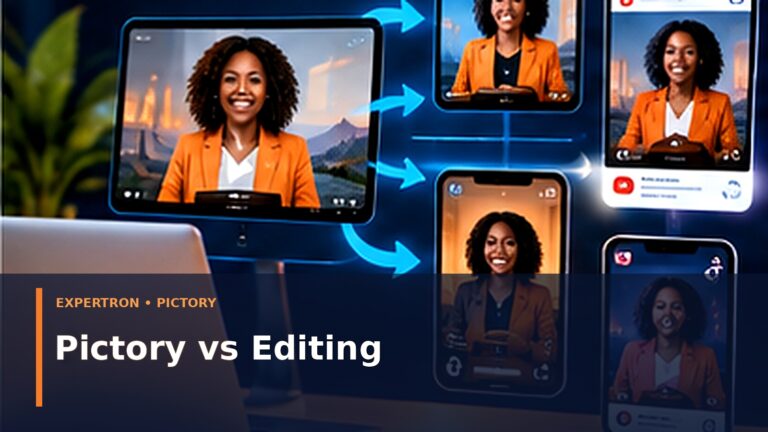

A strong article is expensive in the most important currency: thinking.
You research the customer’s question, organize the answer, verify facts, develop examples and write something useful. Publishing it once and forgetting it wastes much of that effort.
AI makes it easier to transform one substantial article into video, but “click convert” is not a complete content strategy. The best results come from treating the article as a knowledge source and deliberately adapting it to the viewing context.
Pictory is one platform designed around this workflow. Its current official materials describe blog/URL-to-video, text-to-video, AI visuals, avatars, captions, voices, brand templates and platform-oriented output.
Here is a practical workflow.
Step 1: choose the right article
Do not convert every post.
Good candidates:
- answer a clear question;
- contain a process, framework or comparison;
- have several visually explainable points;
- remain useful for more than a day;
- connect to a meaningful CTA.
A 2,000-word article about customer follow-up could become a 3-minute explainer plus three Shorts. A 200-word company announcement probably does not need the same treatment.
Step 2: define the video job
Decide before generating anything:
Education: explain the full concept.
Discovery: hook a new audience and send them to the article.
Conversion: demonstrate a solution and invite the next action.
Training: teach a repeatable procedure.
One article can support several videos, but each video should have one job.
Step 3: extract the core promise
Ask:
What will the viewer know or be able to do after watching?
Example:
Article: “AI Email Marketing Automation for Small Business.”
Video promise: “Learn the three follow-up stages that stop enquiries from disappearing.”
That is stronger than trying to summarize every paragraph.
Step 4: write for the ear, not the page
Written language and spoken language differ.
Article:
“Marketing automation solutions can use behavioral conditions to route contacts through personalized sequences.”
Video:
“When a lead takes an important action, your system can send the right next message—or alert a person to follow up.”
Shorter sentences, active verbs and concrete examples improve narration.
Step 5: build a visual storyboard
For each script segment, decide what the viewer should see.
Avoid filling every scene with unrelated stock footage.
Use:
- process diagrams;
- product-independent conceptual UI;
- people performing the task;
- before/after workflow;
- meaningful text emphasis;
- demonstrations where you have authentic screenshots.
Pictory’s official blog-to-video workflow currently describes extracting article points, generating/editing a script, selecting visuals, captions and voiceovers, and exporting for major platforms.
Step 6: review AI-suggested visuals
This is where human editorial control matters.
Check:
Does the image actually represent the sentence?
Does it accidentally imply a product feature that does not exist?
Is the person/context appropriate to the target audience?
Is there garbled text?
Does the visual look like generic AI filler?
Replace weak scenes.
Step 7: add brand consistency
Use consistent:
logo placement;
colors;
type treatment;
caption style;
intro/outro restraint;
voice/tone;
CTA.
Brand consistency should make the content recognizable without covering every frame with a logo.
Step 8: create platform versions
A YouTube explainer and a 25-second Reel are not the same asset.
Longer video: more context and demonstration.
Short vertical: immediate hook, one idea, fast visual movement, caption-safe framing.
LinkedIn: professional framing and useful caption.
Website embed: support the article rather than interrupt it.
Step 9: embed the video back into the article
This creates a useful content loop:
Search visitor finds article → chooses text or video → understands topic → explores related content/CTA.
Social viewer sees video → follows link → reaches detailed article.
Step 10: measure the system
Article: impressions, clicks, engagement, conversions.
Video: retention, completion, click-through, qualified comments.
Business: leads, assessments, affiliate clicks, sales.
Do not judge the system only by views.
One article → multi-asset model
1 authoritative article
1 primary explainer video
2–4 Shorts
2 supporting images/carousels
1 email
several social captions
1 internal-link destination
This is how a small team competes without inventing new ideas every day.
What AI should not do
Invent product demonstrations.
Create fake customer testimonials.
Change factual claims during summarization.
Use copyrighted or unauthorized material casually.
Publish without human review.
Turn every article into a near-identical video.
Frequently asked questions
Can AI automatically turn a URL into video?
Yes, some platforms including Pictory offer URL/blog-to-video workflows. Review the generated script and scenes before publishing.
Should I publish the same video everywhere?
Reuse the core asset, but adapt aspect ratio, length, caption and CTA to the platform.
Does embedding video improve SEO automatically?
Do not treat video as a ranking trick. Add video because it helps users consume the information and can create additional discovery surfaces.
How long should the video be?
As long as necessary to satisfy its job. A discovery Short may be under a minute; a tutorial may need several minutes.
Final thought
AI makes repurposing cheaper. Editorial judgment makes repurposing valuable.
Expertron AI Made Simple: AI Made Simple.
Business Growth & Automation Assessment: Business Growth & Automation Assessment.